


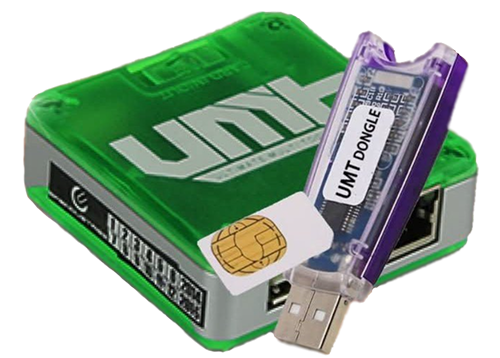
Ultimate Multi Tool Support
Card Firmware Updater v0.2
UMT Support Access v2.1
Modules Downloads
Here you can check our Modules Update & Download
UMT QcFire v13.2
Added/Updated:
Huawei
Honor 70 (FNE-NX9)
Nova 9 SE (JLN-LX3)
Motorola
Edge 50 Fusion (XT2429-1)
OnePlus
8T (KB2005)
Nord N200 5G (DE2117)
Oppo
A57 (CPH1701)
Reno4 Pro 5G (CPH2089)
Realme
X3 SuperZoom (RMX2085)
Samsung
Galaxy A05s (SM-A057G) BIT-9
Galaxy M01 (SM-M015G) BIT-5
Galaxy Tab A 8.0 2019 (SM-T295)
Vivo
Y51 (PD1510F)
Y71 (PD1731F)
Xiaomi
11T Pro (vili)
Updated Internal Loader Database with New ID/Hash
Fixed some broken loaders
Enabled Safe Speed by Default
This will fix write error on some older devices
For higher speed flashing on newer devices, you can disable it
UMT UltimateMTK2 v3.2
What’s New:
BROM Exploit (New)
Supported CPU:
MT6833
MT6877
Note:
You need valid preloader for your device.
When using TP for these, make sure use correct TP.
Make sure to leave TP as soon as BROM detected.
Make sure TP is not left shorted with GND to avoid Flash Detection issue.
Added in Models (and tested) :
A79 5G (CPH2553)
F27 Pro+ 5G (CPH2643)
Preloader for these models are already included in software.
Updated JSON to Super Imager Conversion
Added support for different format JSON
Other Minor Improvements
UMT Unisoc v1.7
Blackview
Blackview Shark 9 5G
Nokia
Nokia C22 TA-1533
Infnix
infnix smart 10(x6725)
Itel
itel P65
Doogee
Doogee Note 59
Doogee Note 59 Pro
Doogee Note 59 Pro+
Meizu
Meizu Note 16 Pro
ZTE
Blade V20 Smart
Nubia Neo 5G (8150N)
Nubia Neo 2 5G (Z2352N)
Read Info, Reset FRP, Factory reset, backup/restore security, read/write firmware, Diag operations (if firmware support)
Added/Fixed:
Fixed bug with Change Flash Slot
Improved flashing factory firmware for supported models.
Improved FRP reset for new models.
UMT iOS
Supported Models list For Ramdisk Operations.
Boot IOS 11x to 15x
iPhone5s
iPhone6
iPhone6Plus
iPhone6s
iPhone6sPlus
iPhoneSE
iPhone7
iPhone7Plus
iPhone8
iPhone8Plus
iPhoneX
iPad mini 4
iPad Air2 Cellular
iPad 5th Gen.
iPad 6th Gen.
iPad 7th Gen.
iPad Pro 9.7-inch
iPad Pro 10.5 inch
iPad Pro 12.9 inch
Boot iOS 16.0-16.X (No Boot Loop)
iPhone8
iPhone8Plus
iPhoneX
iPad 5th Gen.
iPad 6th Gen.
iPad 7th Gen.
iPad Pro 9.7-inch
iPad Pro 10.5 inch
iPad Pro 12.9 inch
Added New Method Hello Bypass for the Following Models:
iPhone6s (iPhone8,1 n71ap)
iPhone6s (iPhone8,1 n71map)
iPhone6s Plus (iPhone8,2 пббар)
iPhone6s Plus (iPhone8,2 п66maр)
liPhone7 (iPhone9,1 d10ap)
iPhone7 Plus (iPhone9,2 d11ap)
iPhone7 (iPhone9,3 d101ap)
iPhone7 Plus (iPhone9,4 d111ap)
iPhone 8 (iPhone10,1 d20ap) – Use Gaster for Pwndfu to have successful rate to hello bypass
iPhone 8 Plus (iPhone10,2 d21ap) – Use Gaster for Pwndfu to have successful rate to hello bypass
iPhone X (iPhone10,3 d22ap) – Use Gaster for Pwndfu to have successful rate to hello bypass
iPhone 8 (iPhone10,4 d201ap) – Use Gaster for Pwndfu to have successful rate to hello bypass
iPhone 8 Plus (iPhone10,5 d211ap) – Use Gaster for Pwndfu to have successful rate to hello bypass
iPhone X (iPhone10,6 d221ap) – Use Gaster for Pwndfu to have successful rate to hello bypass
iPad mini 4 WiFi (iPad5,1-j96ap) – Use Gaster for Pwndfu to have successful rate to hello bypass
iPad mini 4 Cellular (iPad5,2-j97ap) – Use Gaster for Pwndfu to have successful rate to hello bypass
iPad Air2 Cellular (iPad5,4-j82ap) – Use Gaster for Pwndfu to have successful rate to hello bypass
iPad Air2 (WIFI) iPad5,3-j81ap – Use Gaster for Pwndfu to have successful rate to hello bypass
iPad (5th gen, WiFi) iPad6,11_ j71sap – Use Gaster for Pwndfu to have successful rate to hello bypass
iPad (5th gen, WiFi) iPad6,12,_j72sap – Use Gaster for Pwndfu to have successful rate to hello bypass
iPad Pro (10.5-inch) WiFi(iPad7,3-j207ap) – Use Gaster for Pwndfu to have successful rate to hello bypass
iPad Pro (12.9-inch) WiFi(iPad6,7-j98aAP) – Use Gaster for Pwndfu to have successful rate to hello bypass
iPad Pro (12.9-inch) Cellular(iPad6,8-j99aap) – Use Gaster for Pwndfu to have successful rate to hello bypass
UMT UltimateSams v0.8
Supported Functions
– Flash Single / 4 File Firmware
– Fully Customizable Flashing
– Scenario Based Flashing
– Advance Flasher to Flash partition with files of your choice
– Option to skip reboot, if for example, you are flashing custom recovery
– ENG Root option to root supported models with Factory Binary
– FRP Reset without Data Loss (for supported models)
– FRP Reset (UD Format) for most Samsung Phones
– FRP Reset in ADB Mode, it will auto select method if phone has ENG Root
– Remove MDM Lock (Need Root Access / ENG Root)
– Remove Call Me (Need Root Access / ENG Root) – No Relock Method
– Remove Android Locks (Need Root Access / ENG Root)
– Userlock ByPass without Data Loss with Special Firmware
– FRP Lock ByPass with Special Firmware
– Firmware Tool to Create Special Firmware for FRP / Userlock ByPass
– Make Rooted Boot to Root Samsung Devices
– FRP Bypass over MTP/Modem Port
– FRP Reset in Download (Odin) Mode
– Samsung 2024 USA Variants FRP Reset in MTP Mode
– Samsung CSC Change in MTP Mode
– Samsung Android 16 (OneUI 8) FRP Reset in MTP Mode – NEW!
UMT UltimateEMMC v0.4
Supported Brands:
ASUS
Acer
Advan
Alcatel
Coolpad
HTC
Huawei
Intex
LG
LYF
Lenovo
Motorola
Nokia
Oppo
Realme
Samsung
Sharp
Sky
Smartfren
Sony
Vivo
Xiaomi
ZTE
Qualcomm EMMC Device
other devices are also supported…
Supported Functions:
Read Any Partition
Write Any Partition
Erase Any Partition
Format Userdata
Format Userdata in Safe Mode
Reset Userlock on Vivo Phones without DataLoss
Read Full Dump
Write Full Dump
Supports both 512 byte / 4 KB Sectors
Supports Qualcomm Phones appearing as Qualcomm EMMC Device
Supports SD Card Image Read
Supports SD Card Image Write
Flash Full Firmware for Qualcomm Devices
Flash Full Firmware for MediaTek Devices
Disable Screen Locks without Data Loss for Encrypted userdata
Flash Nokia NB0 Firmware
What’s New:
Added Nokia Qualcomm NB0 Direct Flashing
You can directly flash NB0 files without extracting.
At the moment, only Qualcomm NB0 files are supported.
You can select required filetype in Select Firmware Dialog.
Added Option to Check/Uncheck required partition for flashing
Unlike old version, now you can select which part to flash after loading firmware.
Updated Flashing Method for Better Stability
Improved internal routine for better flashing.
Fixed Unexpected EOF Error while flashing some small files
Sometime flashing small files caused EOF Error, fixed now.
Added Context Menu in Log window
Now you can Save/Copy/Clear log using context menu (right click on Log).
UMT UltimateFRP v0.5
Supported Device by Brand/Model
Alcatel
– 9022X
ASUS
– ZenFone Max Pro M1
Ellipsis
– 8 HD
Hisense
– F20
– F31
Infinix
– Hot S3x
Lenovo
– K5 Note (L38012)
– K5 Play (L38011)
– Yoga Tab 3 8.0 (YT3-850M)
QMobile
– Z8 Plus
Vestel
– Venus Z20
Vivo
– Y91
– Y95
– V11 Pro
– Z1
ZTE (Sideload Mode)
– Z986DL
– Z353VL
– Z610DL
– Z716BL
– Z717VL
– Z818L
– Z819L
– Z836BL
– Z837VL
– Z861BL
– Z862VL
ZUK
– Edge (Z2151)
Special Thanks to:
– ..::GMSR::..
– Zenex
– imrangsmali
– kabul
– orhan5
– skgrxl
– taimur-ahmad
– technomak
– wahablepirate
UMT UltimateGSM v5.5
What’s New:
Oppo Privacy Lock Disable
– Need to Enable ADB
– Should work on all devices, if not, please report with log
SPRD Enable Diag
– For Anrdoid devices which don’t have diag enabled
– For old phones, you may need to tick on Old Method
– You must connect powered off phone without pressing any key
Updated IMEI Repair Function
– Enable Diag first to use this function
– After Diag enabled, Scan and select Diag Port
Added BT Address Repair
– Enable Diag first to use this function
– After Diag enabled, Scan and select Diag Port
Added WIFI MAC Repair
– Enable Diag first to use this function
– After Diag enabled, Scan and select Diag Port
Added Factory Reset in Diag Mode
– Enable Diag first to use this function
– After Diag enabled, Scan and select Diag Port
– It will wipe data on phone, so use with caution
Added SPRD Driver in Installer
– If you face issues, please use this driver
Improved COM Port Communication
Special Thanks to:
– Unlockinfo
– UnlockwithCode
– kabul
– miftahulbari
– owais a
UMT UltimateHST v0.2
HiSilicon Service Tool
Added Support for following SOCs:
– Kirin 620
– Kirin 710
– Kirin 710 (UFS)
– Kirin 980
Added Support for following devices:
– AQM-AL00
– AQM-TL00
– ASK-AL00x
– ELE-AL00
– ELE-L04
– ELE-L09
– ELE-L29
– ELE-TL00
– EVR-AL00
– EVR-AN00
– EVR-L29
– EVR-N29
– EVR-TL00
– GLK-AL00
– GLK-LX1
– GLK-LX1U
– GLK-LX2
– GLK-LX3
– GLK-TL00
– HMA-AL00
– HMA-L09
– HMA-L29
– HMA-LX9
– HMA-TL00
– HRY-AL00
– HRY-AL00TA
– HRY-AL00Ta
– HRY-AL00a
– HRY-LX1
– HRY-LX1MEB
– HRY-LX1T
– HRY-LX2
– HRY-TL00
– HRY-TL00T
– HW-02L
– INE-AL00
– INE-LX1
– INE-LX1r
– INE-LX2
– INE-LX2r
– INE-TL00
– JKM-LX1
– JKM-LX2
– JKM-LX3
– JSN-AL00
– JSN-AL00a
– JSN-L11
– JSN-L21
– JSN-L22
– JSN-L23
– JSN-L42
– JSN-TL00
– LRA-AL00
– LRA-LX1
– LRA-TL00
– LTK-LX3
– LYA-AL00
– LYA-AL10
– LYA-L09
– LYA-L0C
– LYA-L29
– LYA-TL00
– MAR-AL00
– MAR-L01A
– MAR-L21A
– MAR-L21MEA
– MAR-L22A
– MAR-LX1A
– MAR-LX1B
– MAR-LX1M
– MAR-LX2
– MAR-LX2J
– MAR-LX3A
– MAR-LX3Bm
– MAR-TL00
– PCT-AL10
– PCT-L29
– PCT-TL10
– POT-AL00a
– POT-TL00a
– SEA-AL10
– SEA-TL10
– SNE-AL00
– SNE-LX1
– SNE-LX2
– SNE-LX3
– STK-AL00
– STK-L21
– STK-L22
– STK-L22HN
– STK-LX1
– STK-TL00
– VOG-AL00
– VOG-AL10
– VOG-L04
– VOG-L09
– VOG-L29
– VOG-TL00
– YAL-AL00
– YAL-AL10
– YAL-L21
– YAL-L41
– YAL-L61
– YAL-L61D
– YAL-L71
– YAL-TL00
– and many more…
Tested devices:
– JSN-L42 (Kirin 710)
– STK-L22 (Kirin 710 UFS)
– PCT-AL10 (Kirin 980)